


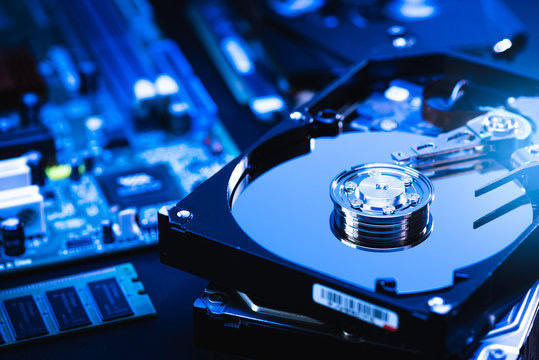
Disk imaging is the process of creating an exact, bit-for-bit copy or image of a computer’s hard drive or storage device. This image captures everything on the disk, including the operating system, applications, settings, and all files. Disk images are often used for backup purposes, allowing users to restore their system to a previous state in case of system failure, data corruption, or accidental deletion.
The key advantage of disk imaging is that it preserves not only individual files but also the entire structure of the system. This makes it different from traditional file-based backups, which only back up selected files and folders. With disk imaging, the entire system, including system configurations and installed software, can be replicated and restored, ensuring that the user can return to their exact working environment without needing to reinstall applications or reconfigure settings.
How Disk Imaging Works:
-
Creating the Image: The disk imaging software scans the source disk and creates a replica, also known as a “disk image,” which is stored as a single file or a set of files. This image includes all partitions, files, and system data.
-
Storing the Image: The image is typically stored in a safe location, such as an external hard drive, network drive, or cloud storage.
-
Restoring from the Image: If there is a system failure or data loss, the disk image can be restored to the original or a new disk. This restores the system to its exact state at the time the image was created.
Key Benefits of Disk Imaging:
-
Quick and Complete Recovery: In the event of a disaster, a disk image can restore the system to its previous state faster than reinstalling software and restoring files from individual backups.
-
System and Application Preservation: It ensures that not only personal files but also system settings, configurations, and applications are restored, minimizing downtime.
-
Data Security: Disk imaging software can also provide options for encrypting images, ensuring the safety and privacy of your data.
Overall, disk imaging is an essential tool for anyone looking to safeguard their data and ensure they can recover from unexpected events without significant loss of time or information.
10 Best Disk imaging Software in 2025
In this article you can find out the best disk imaging software list below;
1. Acronis True Image
Acronis True Image is widely regarded as one of the best disk imaging software available. Known for its robust features and ease of use, this software creates a complete image of your entire system, which can be restored if needed. It offers both cloud and local backups, making it versatile for various needs.
Key Features:
-
Full disk image backup and recovery.
-
Cloud storage integration.
-
Active protection against ransomware.
-
Flexible scheduling for backups.
Pros:
-
Comprehensive backup options.
-
Excellent customer support.
-
Intuitive interface with easy navigation.
Cons:
-
Higher price compared to some competitors.
-
Requires substantial system resources.
Acronis True Image stands out for those who need both local and cloud backup solutions, with a security-first approach, offering proactive ransomware protection.
2. EaseUS Todo Backup
EaseUS Todo Backup offers a user-friendly interface and a variety of features suitable for home users and businesses alike. The software provides both disk imaging and file-level backup, ensuring flexibility in protecting your data. It supports both Windows and macOS, which makes it versatile for multiple platforms.
Key Features:
-
Full system, disk, and file-level backup.
-
Cloud backup support.
-
Incremental and differential backups.
-
Bootable media creation for disaster recovery.
Pros:
-
Affordable pricing.
-
Easy to use for beginners.
-
Reliable backup options.
Cons:
-
Advanced features are locked behind higher pricing tiers.
-
Slower performance with large backups.
EaseUS Todo Backup is ideal for those seeking a straightforward, cost-effective disk imaging solution for both home and business environments.
3. Iperius Backup
Iperius Backup is a flexible and feature-packed disk imaging software. It caters to businesses that need high-performance backup solutions for critical data. With a focus on speed and reliability, it offers a range of customization options to meet the needs of any user.
Key Features:
-
Full disk image and file-level backup.
-
Cloud storage integration.
-
Supports backup for virtual machines (VMs).
-
Scheduled backups and email notifications.
Pros:
-
Highly customizable backup options.
-
Affordable compared to competitors.
-
Supports various storage locations.
Cons:
-
Interface may be intimidating for beginners.
-
Limited free version.
Iperius Backup is a solid choice for businesses and IT professionals looking for a reliable disk imaging tool with extensive customization capabilities.
4. Clonezilla
Clonezilla is a free and open-source disk imaging software that provides powerful features for advanced users. It allows you to create full backups of systems or partitions and supports a wide range of file systems. Its command-line interface, however, may not be suitable for novice users.
Key Features:
-
Disk and partition cloning.
-
Support for many file systems, including ext3, NTFS, and FAT.
-
Multi-platform support (Linux, Windows).
-
Ability to deploy disk images to multiple systems at once.
Pros:
-
Completely free.
-
Lightweight and fast.
-
Highly customizable for advanced users.
Cons:
-
No user-friendly interface.
-
Lack of support for cloud backups.
Clonezilla is best for IT professionals or tech-savvy users who prefer a free, customizable solution for disk imaging and cloning.
5. ManageEngine OS Deployer
ManageEngine OS Deployer is a comprehensive disk imaging software designed for businesses. It provides enterprise-grade solutions for managing and deploying operating systems across multiple computers. Ideal for large-scale deployments, it ensures that IT teams can easily create and restore disk images.
Key Features:
-
Centralized deployment of operating systems.
-
Disk image creation and restoration.
-
Network-based deployment for large-scale rollouts.
-
Compatibility with both Windows and Linux operating systems.
Pros:
-
Ideal for businesses and IT teams.
-
Centralized management for efficiency.
-
Streamlined deployment process.
Cons:
-
Expensive for small businesses.
-
Requires a learning curve.
ManageEngine OS Deployer is a great tool for businesses that need to deploy disk images across large networks efficiently.
6. SmartDeploy
SmartDeploy is a disk imaging solution focused on enterprise deployment. It allows IT teams to deploy operating systems, applications, and system configurations across multiple devices. It’s easy to use, with cloud and local deployment options available.
Key Features:
-
OS deployment and system configuration.
-
Multi-platform support.
-
Automated driver injection.
-
Supports both physical and virtual machines.
Pros:
-
Excellent for IT departments.
-
Seamless OS deployment across multiple machines.
-
Intuitive interface.
Cons:
-
High cost for smaller businesses.
-
Limited cloud backup options.
SmartDeploy is an ideal solution for enterprise environments looking for an efficient way to deploy disk images and system configurations.
7. Comet Backup
Comet Backup is an easy-to-use disk imaging software designed with simplicity in mind. It offers secure, cloud-based backups, and provides an intuitive interface that makes disk imaging easy for anyone. It supports both local and cloud backups, making it a flexible choice for individual users or small businesses.
Key Features:
-
Cloud-based disk imaging.
-
File and full disk backups.
-
Incremental backups for efficiency.
-
Encryption for data protection.
Pros:
-
Affordable pricing for small businesses.
-
Strong security features.
-
Easy-to-use interface.
Cons:
-
Limited customization options for advanced users.
-
Slower restore speeds.
Comet Backup is a great choice for small businesses or personal use, offering cloud-based disk imaging and reliable security.
8. Paragon Partition Manager
Paragon Partition Manager is a powerful disk imaging and partition management tool. It specializes in disk partitioning and optimization, but it also offers full disk backup capabilities. With its easy-to-use interface, it’s suitable for both beginner and advanced users.
Key Features:
-
Disk imaging and partition management.
-
File-level and full disk backups.
-
Support for both MBR and GPT partition schemes.
-
Bootable media creation for recovery.
Pros:
-
Great for partition management and backup.
-
Reliable backup and restore options.
-
User-friendly interface.
Cons:
-
Lacks cloud backup support.
-
Limited features in the free version.
Paragon Partition Manager is an excellent tool for users looking for partition management in addition to disk imaging.
9. Uranium Backup
Uranium Backup is a flexible disk imaging software offering both local and cloud-based backups. It’s known for its simplicity and ease of use, making it an ideal choice for small businesses and home users. With robust backup scheduling and cloud integration, it’s easy to secure your data.
Key Features:
-
Local and cloud backup options.
-
Disk imaging and file-level backups.
-
Support for incremental backups.
-
Advanced backup scheduling.
Pros:
-
Intuitive interface.
-
Affordable pricing.
-
Great for home and small business users.
Cons:
-
Limited advanced features.
-
Cloud storage options are restricted in the free version.
Uranium Backup is best for users looking for an affordable and simple disk imaging solution with cloud integration.
10. DeepSpar Disk Imager
DeepSpar Disk Imager is a specialized disk imaging software that focuses on data recovery. It’s designed for situations where traditional disk imaging software might fail, making it an essential tool for professionals in the data recovery industry.
Key Features:
-
Disk imaging for damaged or failing drives.
-
Data recovery capabilities.
-
Support for sector-level imaging.
-
Detailed diagnostic tools for disk health.
Pros:
-
Excellent for data recovery.
-
Capable of imaging damaged disks.
-
Supports a wide range of drive types.
Cons:
-
Expensive compared to other options.
-
Not designed for general backup tasks.
DeepSpar Disk Imager is a premium solution for professionals in need of a robust disk imaging tool for data recovery scenarios.
What Makes the Best Disk Cloning Software?
The best disk cloning software provides a reliable, efficient, and user-friendly solution for creating exact copies of your storage devices. Whether you’re upgrading your hard drive, creating backups, or migrating your operating system, high-quality disk cloning software ensures that the process is smooth, accurate, and hassle-free. Here are the key features that make the best disk cloning software:
1. Ease of Use
The best disk cloning software should have an intuitive and user-friendly interface that allows both beginners and experienced users to clone disks easily. The software should guide you through the entire process with minimal complexity, offering clear options and steps. A well-designed interface can save time and reduce errors, making the cloning process as straightforward as possible.
2. Cloning Speed
Speed is an essential factor when choosing disk cloning software. Good software should be able to clone large disks quickly without compromising on the accuracy or integrity of the data. The software should also be optimized to handle high-speed data transfer between different types of storage devices, ensuring that users can complete the cloning process efficiently.
3. Compatibility with Various File Systems and Storage Devices
Disk cloning software must support a variety of file systems (e.g., NTFS, FAT32, exFAT) and work with different storage devices (HDDs, SSDs, external drives, network drives, USB drives). Compatibility with both older and newer technologies, including GPT (GUID Partition Table) and MBR (Master Boot Record) partition schemes, is essential. This ensures that users can clone from a wide range of devices and storage formats without issues.
4. Sector-by-Sector Cloning
Sector-by-sector cloning allows the software to create an exact replica of the source disk, including every sector, whether it’s in use or unused. This is particularly important when you need to create a 100% identical copy of a disk, such as for data recovery, migration, or forensic purposes. The best disk cloning software should allow for this type of cloning, ensuring that all data is copied without missing anything.
5. Disk Imaging and Backup Integration
Top disk cloning software often comes with disk imaging features, enabling users to create disk images for backup purposes. An image file is a compressed, portable copy of the disk that can be easily stored on external media or cloud storage. The ability to integrate cloning with disk imaging offers greater flexibility, enabling both cloning for immediate use and backup for long-term storage.
6. Support for SSD Optimization
Solid-state drives (SSDs) require special attention due to their different architecture compared to traditional hard drives. The best disk cloning software should support TRIM commands and other SSD optimization features to ensure that the clone works properly and that performance is maintained after the cloning process. It should also handle the alignment of partitions to ensure that SSD performance isn’t hindered after cloning.
7. Reliability and Data Integrity
The reliability of the software is crucial to ensure that the clone is an exact and accurate copy of the original disk. The best disk cloning software should employ error-checking mechanisms to guarantee the integrity of data during the cloning process. Any corrupted data or errors during the cloning process should be immediately flagged, allowing users to address them before proceeding.
8. Disk Cloning Scheduling
For businesses and power users, the ability to schedule cloning tasks is essential. The best disk cloning software offers scheduling features that allow users to automate the cloning process. This means that cloning tasks can run at specified times, such as during off-peak hours or when the system is idle, ensuring minimal disruption.
9. Flexible Cloning Options
Some users may only want to clone specific partitions rather than the entire disk. The best disk cloning software offers flexibility, allowing users to choose between full disk cloning or partition cloning. Additionally, features like resizing partitions during cloning and excluding unnecessary files can further streamline the process, especially when upgrading to a larger disk.
10. Support for Advanced Users
For experienced users, the best disk cloning software should offer advanced options such as command-line interfaces, custom cloning parameters, and scripting capabilities. This allows users to automate more complex tasks and integrate disk cloning with other workflows. Such features are essential for IT professionals, system administrators, and technicians who need precise control over the cloning process.
11. Recovery Options
In case something goes wrong during the cloning process, the best disk cloning software should include recovery options. This might include the ability to reverse the cloning operation, repair corrupt images, or restore previous backup states. Recovery options provide an added layer of security and peace of mind, ensuring that users can safely undo mistakes or recover from unexpected failures.
12. Affordable Pricing and Licensing
Finally, cost is a consideration when choosing disk cloning software. The best software offers excellent value for money, providing a good balance between features and pricing. It should also offer flexible licensing options, such as single-user licenses for home users and multi-user or enterprise licenses for businesses.
Conclusion
In 2025, the market for disk imaging software is more diverse and advanced than ever. From all-around backup solutions like Acronis True Image to specialized tools like DeepSpar Disk Imager for data recovery, there is a solution for every need. When selecting the right disk imaging software, it’s important to consider the scale of your backup requirements, whether you need cloud support, and if you’re working with large enterprise networks or personal use. By carefully evaluating the key features, pros, and cons of each option, businesses and individual users alike can ensure they’re investing in the best disk imaging software for their needs.