The evolution of computer and data storage media has led to confusion of terminology regarding the computer parts. Such commonly confused terms are the disk and the drive. A disk and drive are often used interchangeably, but that should not be. They all refer to computers but have different components and functions. The terms used to refer to these new parts have not changed for a while, but we have seen a significant change in hardware.
Both IT professionals and the general public have used the two terms interchangeably but do not blame anyone. After all, they nearly refer to the same thing. If you are tech-savvy, then the difference between a drive and a disk is as clear as day. Let us first define them and then look deeper into history.
What is a Disk?
A disk, in this context, is defined as a thin flirt circular plate or anything similar used to store data. These are the digital storage media that your computer uses to store program data and reference it later. Disks can either be magnetic disk and optical disks.
What is a Drive?
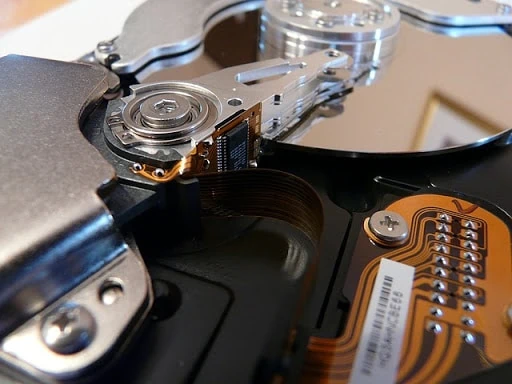
For you to store data into a disk or read data from it, you need a mechanism. The mechanism for reading and writing to a disk is called a drive and are mainly mechanical parts. A drive refers to the actuator, actuator arm, actuator axis, spindle, and the data read/write head. All these parts operate in harmony for either reading data from a disk or writing data to it.
When Did the Confusion Begin?
It is not uncommon for people to confuse different parts of PCs. In fact, you might find yourself in such a situation without knowing because you found it to be the norm. For a disk and drive, the problem started when the parts of our computers started becoming very small.
One of the earliest storage media is the floppy disk. You needed a floppy disk drive to store or read data from it, and there was no confusion. The same applies to optical disks. You require either a combo drive to read or write data to a CD or DVD. Blu-ray disks also need a specific Blu-ray disk drive to access the information from it. So, where did the problem begin?
The era of hard disks
Hard disks were introduced and grew in popularity because of flexibility and scalability. They also have a high storage capacity compared to other storage media but still, depend on spinning magnetic platters. It is their introduction that brought the confusion that we are battling with today.
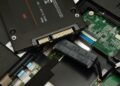
A hard disk and a hard drive all come as one package. This coexistence of both a disk and drive in a single unit confuses people and why such types of media storage devices are called hard disk drives (HDD). The disk platters, spindle, actuator axis, arm actuator, and other interfacing components are enclosed in one sealed protective case.
Computer naming can be so confusing because naming systems are mostly inherited from previous technology. For example, solid-state drives (SSD) have the word “drive” appended, but these storage devices do not have disks and moving parts.